
Summary
In this article we walk through what to check if signer information is missing or incomplete before finalizing or executing a document in Catina.
Check the Signature Block
Start by reviewing the signature block in the document.
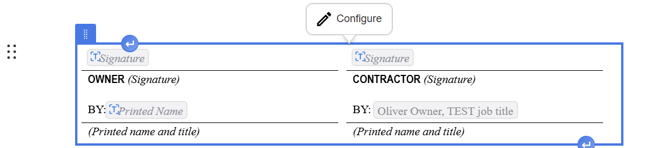
- Open the document in the Editor.
- Locate the Signature Block at the bottom of the document.
- Click the Signature Block.
- Select Configure.
- Review signer details for each role.
Add Missing Signer Details
If signer information is missing, update it before finalization.
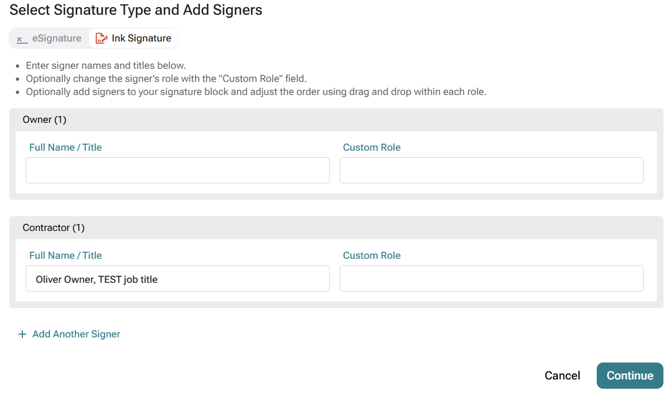
- Select the role that needs signer information (Owner, Contractor, Architect, Attorney, etc)
- Enter the signer’s name.
- Add a custom role if needed (Not required)
- Enter the signer’s email address if using e-signature.
- Add additional signers if needed.
- Select Continue to save the signatures
Important Note: E-signature requires an email address for each signer.
Check Custom Roles
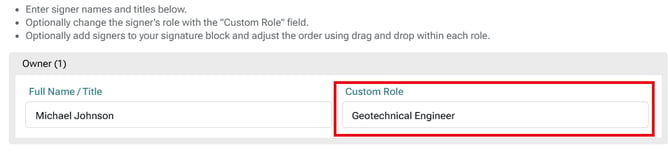
Use Custom Role if the displayed role does not match the signer’s responsibility (to override default role names).
-
- Open the signature block configuration.
- Select the signer or role.
- Apply a Custom Role.
- Enter the role label that should appear.
- Review the signature block again.
Confirm Signers Before Finalizing
Before finalizing, make sure signer information is complete.
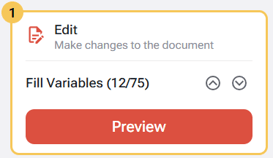
- Select Preview.
- Review the DRAFT-watermarked PDF.
- Select Add Signers if updates are needed.
- Confirm all signer names, roles, and email addresses.
- Continue to Finalize when the signer information is correct.
FAQ
Q: Why is my signer information missing?
A: Signer information must be added or updated in the Signature Block before finalizing the document. Open the signature block configuration to review and complete the required signer details.
Q: Do all signers need an email address?
A: No. Email addresses are required only when using electronic signatures. If you are collecting ink signatures, an email address is not required.
Q: Can I change the role that appears in the signature block?
A: Yes. If the default role does not match the signer's responsibility, you can use a Custom Role to replace the displayed role name before finalizing the document.