
Summary
In this article we walk through how to use comments in the Catina V2 Editor to collaborate with others while reviewing a document.
Adding Comments
Comments help you ask questions, provide notes, or collaborate during document review.
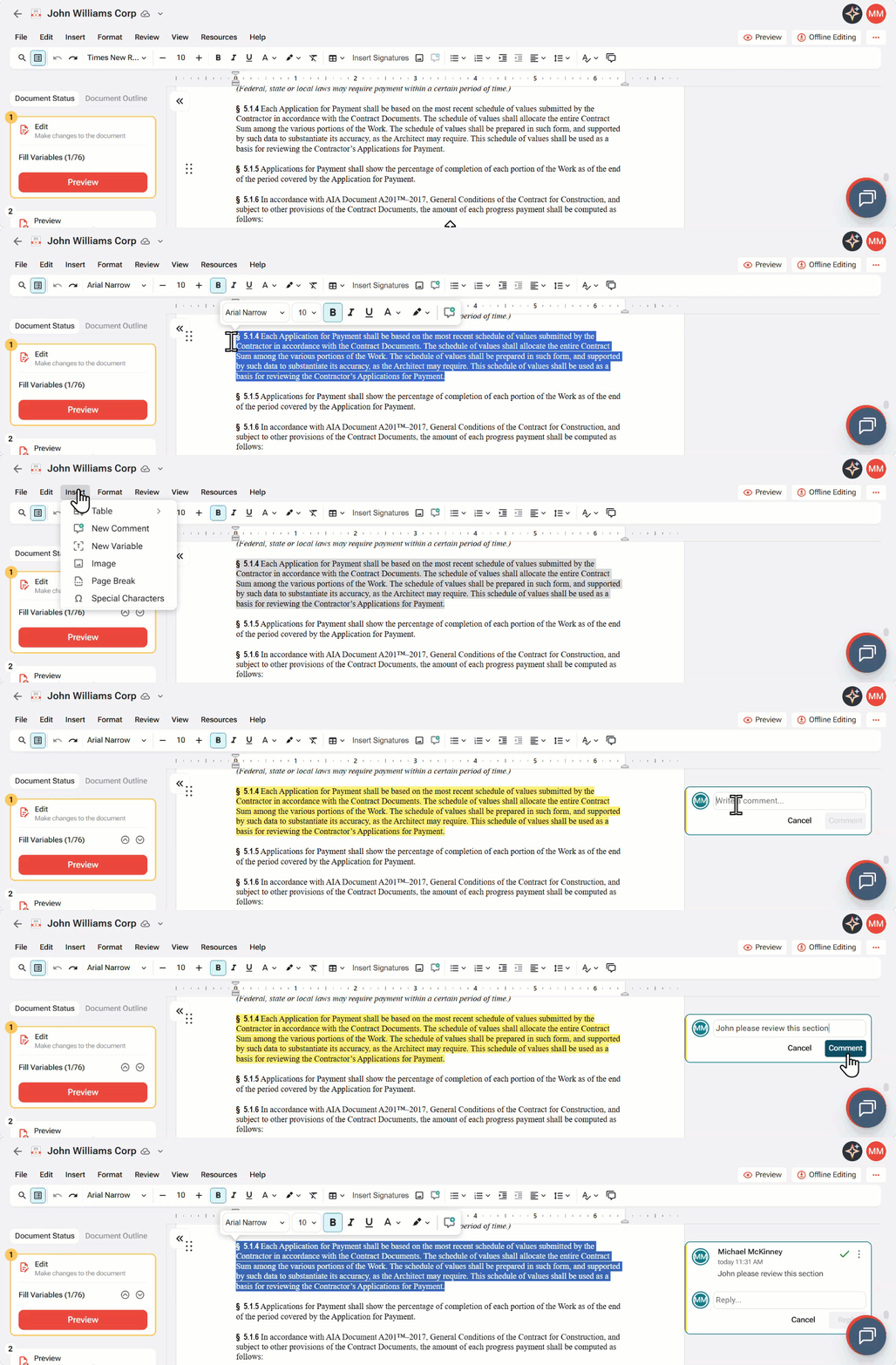
- Open your document in the Editor.
- Select the text or area you want to comment on.
- Add your comment in the right margin.
- Click on Comment to save or post the comment.
- Continue reviewing the document.
Replying to Comments
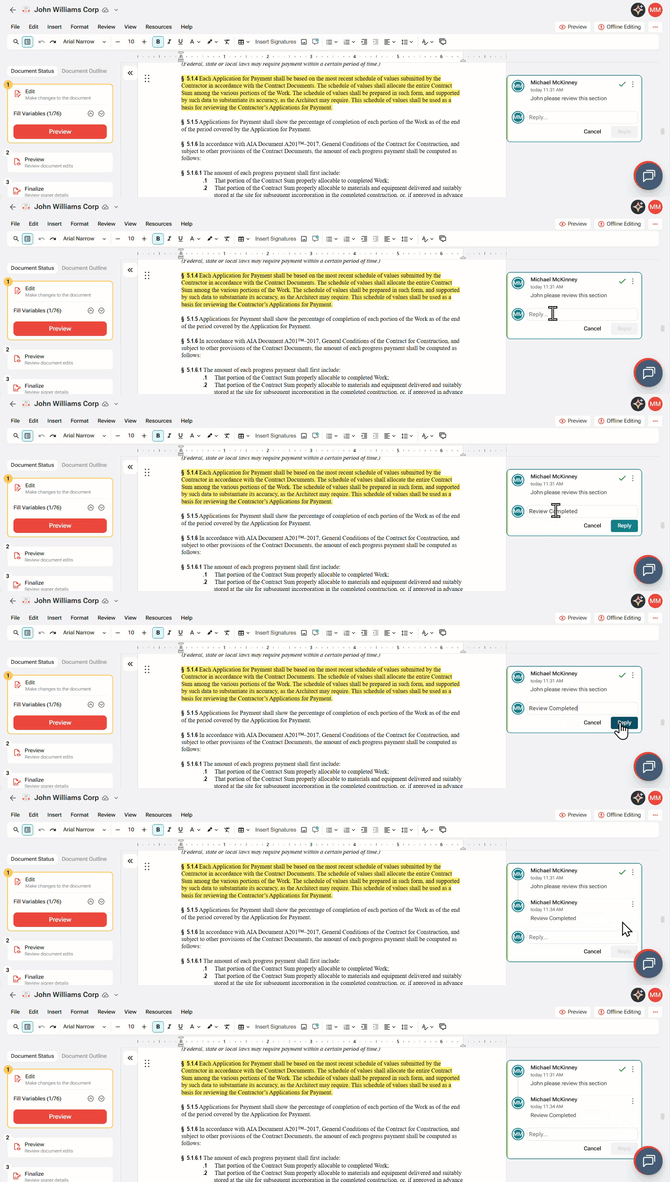
You can reply to comments to continue a discussion.
- View the Comments and Changes panel.
- Select the comment you want to respond to.
- Enter your reply.
- Click on Reply to Post the replyy.
- Continue the discussion as needed.
Resolving Comments
Resolve comments when the discussion is complete.
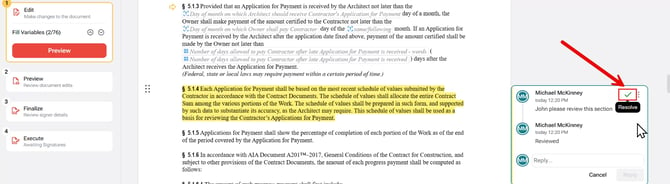
- Review the comment thread.
- Confirm that the question or issue has been addressed.
- Select the Green check mark to Resolve.
- Continue reviewing any remaining comments.
FAQ
Q: Can I reply to an existing comment?
A: Yes. Open the Comments and Changes panel, select the comment you want to respond to, enter your reply, and select Reply to continue the discussion.
Q: What happens when I resolve a comment?
A: Resolving a comment marks the discussion as complete and removes it from the list of active comments. This helps keep the review process organized.
Q: Can I view resolved comments later?
A: If your organization or workflow supports viewing resolved comments, you can review them from the comments history. Otherwise, only active comments are displayed.
Q: Do comments affect the document content?
A: No. Comments are used for collaboration and review only. They do not modify the document content or appear in the finalized document.
Q: When should I resolve a comment?
A: Resolve a comment after the question has been answered, the requested change has been made, or the discussion is complete.