
Summary
If you enter an amount in the G701™–2017 Change Order and the New Contract Sum does not update, or appears locked, this is typically due to missing project-level setup information. The G701™ relies on the Contract Cost Structure / Project Value configured at the project level in Catina. If this information has not been selected, the form cannot calculate the adjusted contract sum.
How to Fix It (Step-by-Step)
Let’s walk through it together:
Log into Catina
Open the project you’re working in
Click Edit in the upper-right corner
Find the Contract Cost Structure dropdown
Select the appropriate option
Enter the Project Value
Click Save
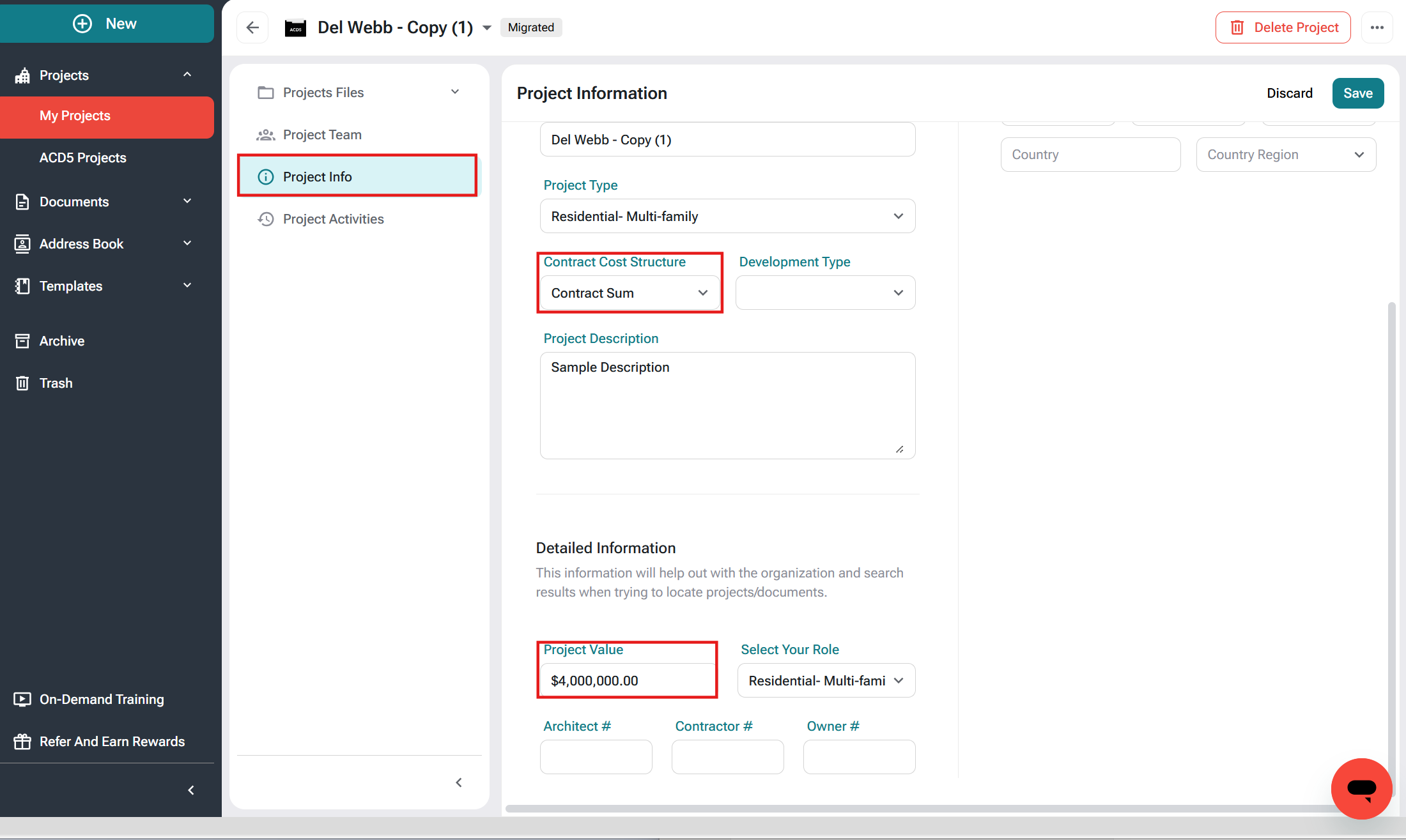
After You Save
Once the project is updated, you can:
Finalize your current Change Order or
(Recommended) Create a new Change Order to immediately see the updated contract sum in both the editor and preview
Either option works, choose what’s easiest for you.
Helpful Tips
Contract Cost Structure and Project Value are optional when creating a project
However, Change Orders rely on this information to calculate totals correctly
If you still don’t see the update, creating a new Change Order usually resolves it.
FAQs
Why can’t I manually edit the New Contract Sum?
The G701™ 2017 is designed to calculate the adjusted contract amount based on project-level data. The field may appear locked if required financial setup is missing.
Do I have to create a new Change Order?
In most cases, updating the project settings will resolve the issue. However, creating a new Change Order ensures the updated configuration is fully applied.
What if I don’t see a Contract Cost Structure option?
If the dropdown is unavailable, contact your account administrator or support for assistance.