
Summary
Log in to access your Catina subscription and edit your documents online. Users can log in from the AIA Contract Documents website or directly at https://catina.aiacontracts.com.
Access your subscription or purchased documents
Access the AIA Contract Documents online service (Catina) from our main page (aiacontracts.com) at the top right of the page by clicking Login and select Access Catina:
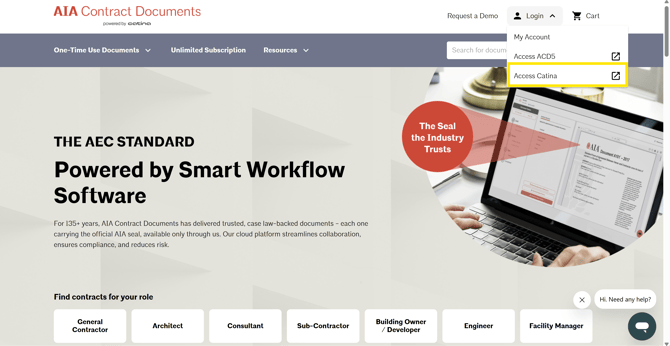
You can also access it directly by going to https://catina.aiacontracts.com. You may want to bookmark this page.
Haven’t made a purchase?
If you haven’t made a purchase, we recommend making a purchase from our main page (aiacontracts.com). Upon completion of the purchase process, we’ll provide a link to access your purchase. We will also email you a link and receipt for your records.